KITCHENAID CTOFrom guesswork to a confidently cooked meal
Redesigning KitchenAid's countertop oven HMI for home cooks, lifting Flex Pan task completion to 84% and cutting cook-time by 26%.
ROLEProduct Designer
DURATION6 months
TEAM2 Product Designers, Industrial Designer, Product Manager
TOOLSFigma, Claude Code, FigMake, Jira
IMPACT82%
task completion of correctly using the Flex Pan
26%
decreased task time in cooking a standard meal
52%
increased understanding of Flex Pan placement
46%
increased usage of Keep Warm as a primary mode
Home cooks were struggling with usability gaps that were leading to food being improperly cooked. Competitors offered simpler, more capable experiences, causing us to lose customers.
CHALLENGEGive cooks new features (such as cooking two foods at once, guidance on accessory usage, using primary modes and secondary modes) so they can confidently cook a meal at home.
SOLUTION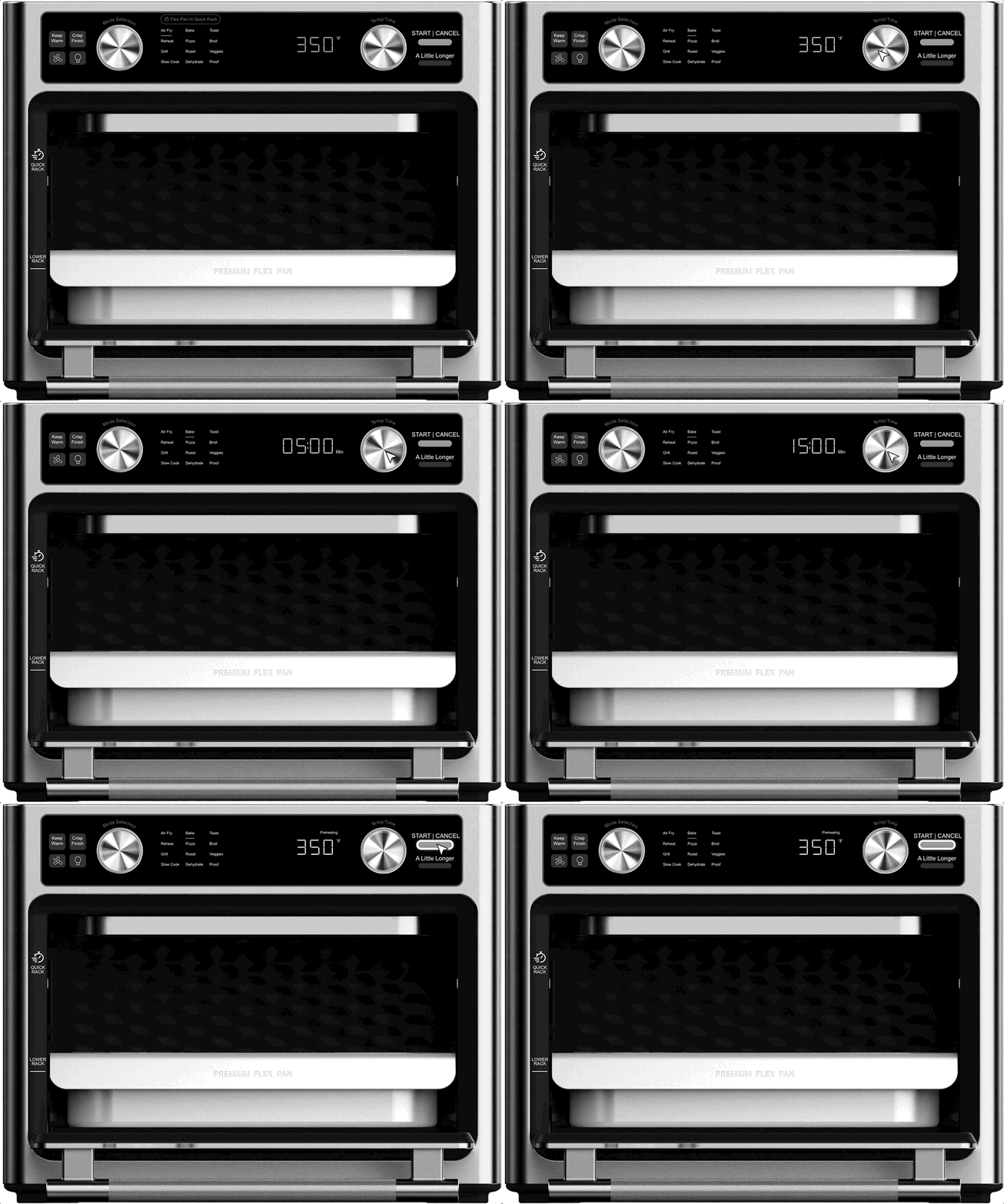
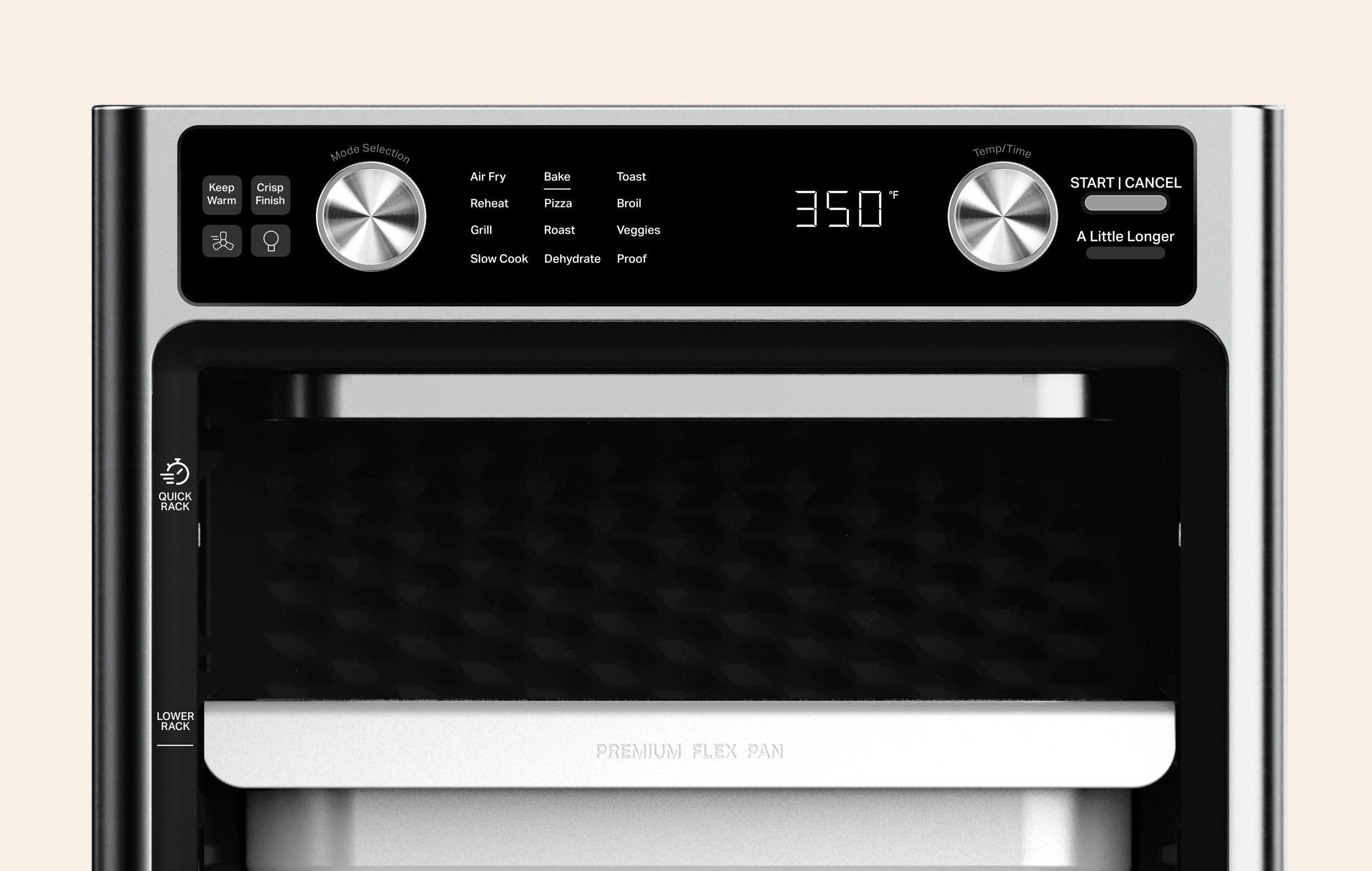
Operating the oven’s HMI
Operating the Flex Pan for an optimal air fry
KEYS TO SUCCESSI reframed a constraint as a feature, not a restriction
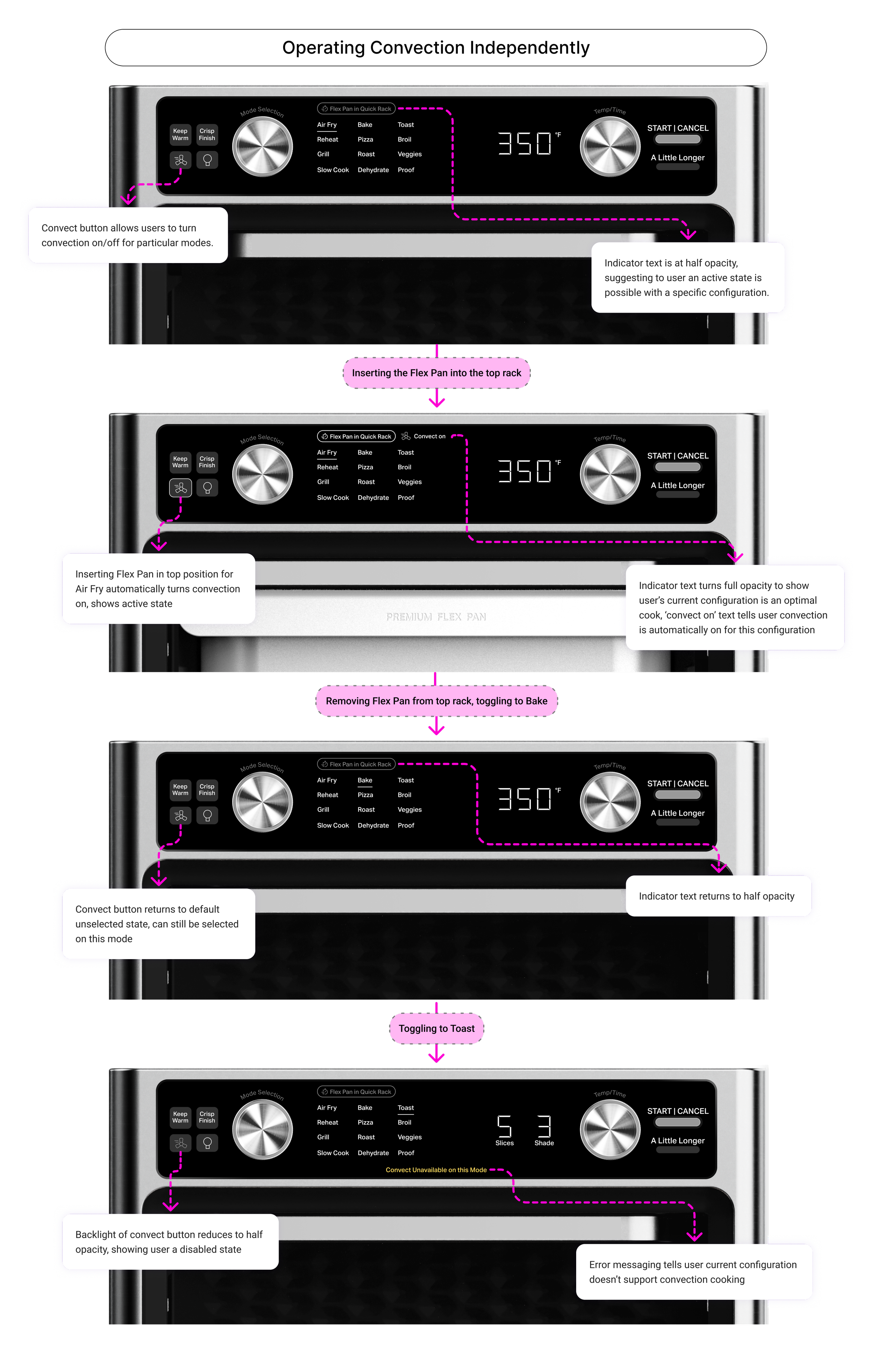
The Flex Pan had to go on the top rack when air frying due to how the oven was built. To challenge this, I turned convection into a toggle switch users could choose for themselves. Instead of a hidden requirement people had to figure out, now it was a visible choice.
I let research deprioritize an unnecessary feature
While the marketing team initially wanted ‘dual cooking’ as a selling point, card-sorting and prototypes showed users cared more for cooking food evenly and not cooking two things at once. Calling out the contradiction led to building what users actually needed.
I designed for existing mental models, not suggested labels
Research showed people's instincts often disagreed with the product's suggested labels. Rather than fight that, I looked at how people actually cooked and saw they wanted flexibility over guardrails. I promoted modes that were originally secondary, minor options into standalone, primary ones.
LEARNINGSHMI design as a new frontier
Designing physical products is more similar to digital than expected (same team structure, sprints, and collaborators). The real differences are cost sensitivity and research timing. Every added button or dial has manufacturing costs at scale, so marketing and industrial design came in early. And unlike digital, there's no shipping and iterating. Research had to be right before it hit the sales floor.
Listen and rely on research
As stakeholder requests grew, our research made it clear that users defined 'better' as 'simpler,' prioritizing intuitive cooking flows over new features. I used these insights to refocus our design efforts and realign stakeholders around a north star that truly served the user.
THE LARGER STORYKitchenAid's countertop oven line packs a wide range of cooking modes (Air Fry, Air Grill, Keep Warm, and more) behind one onboard control panel. My work turned its new features such as dual cooking, the Flex Pan, and expanded modes into something home cooks could actually trust.
Dual cooking
An early feature exploration from the marketing team was on how to cook two different foods at the same time, the advantage here being a countertop oven that can cook a full, complex meal. When concepting, I had to take into account zone differentiation and hierarchy, as well as offering intuitive pathways to swap between the two zones.
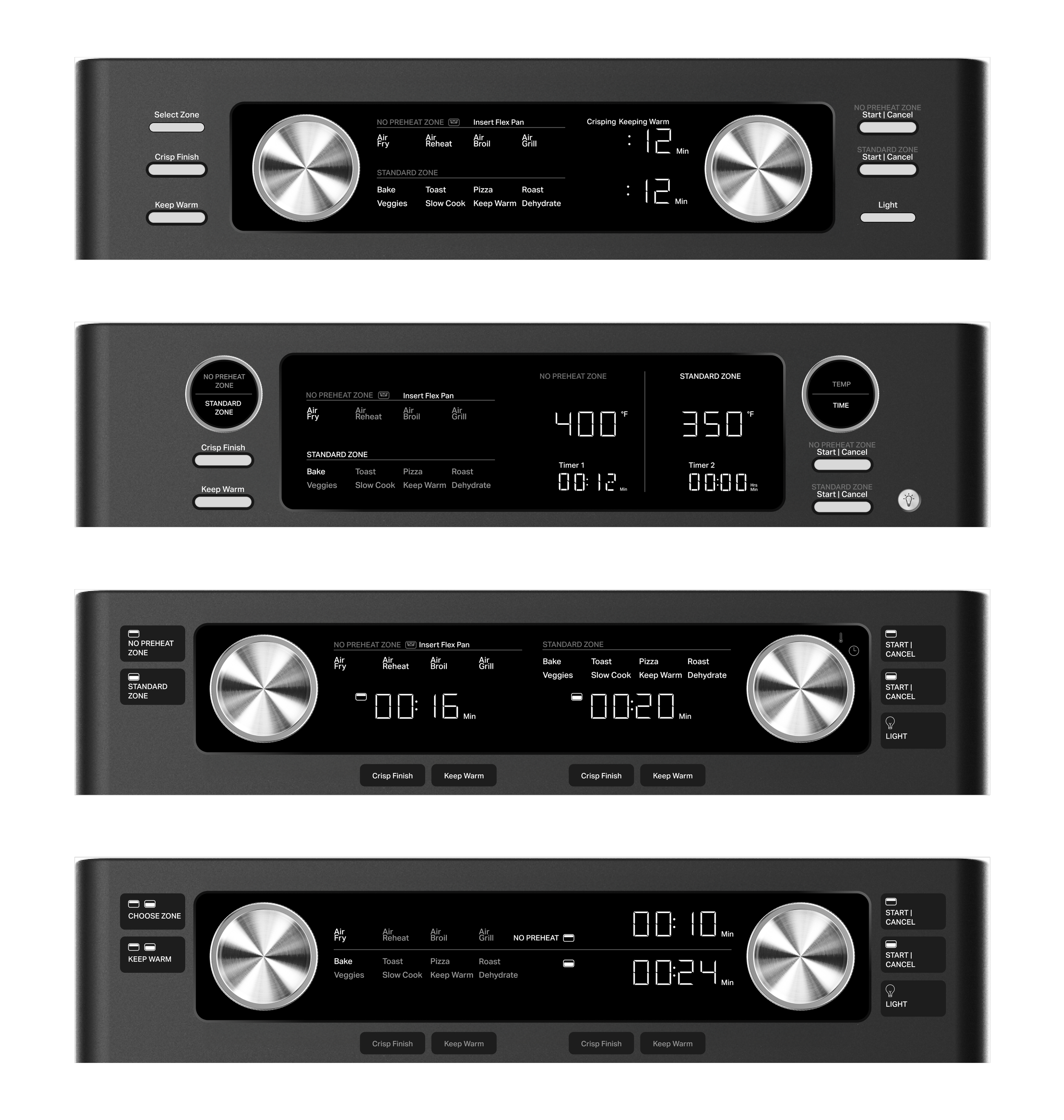
Flex Pan and zone differentiation
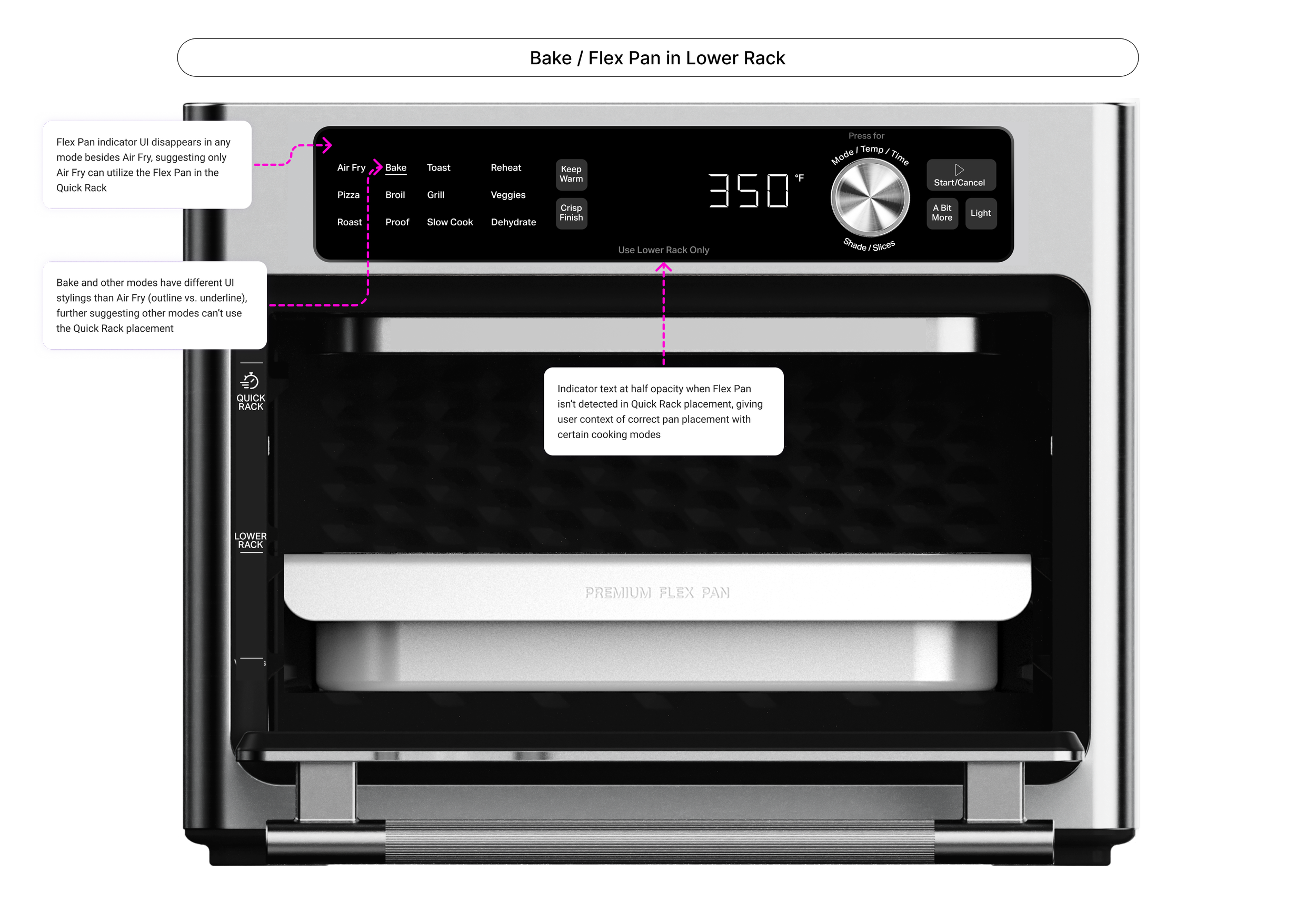
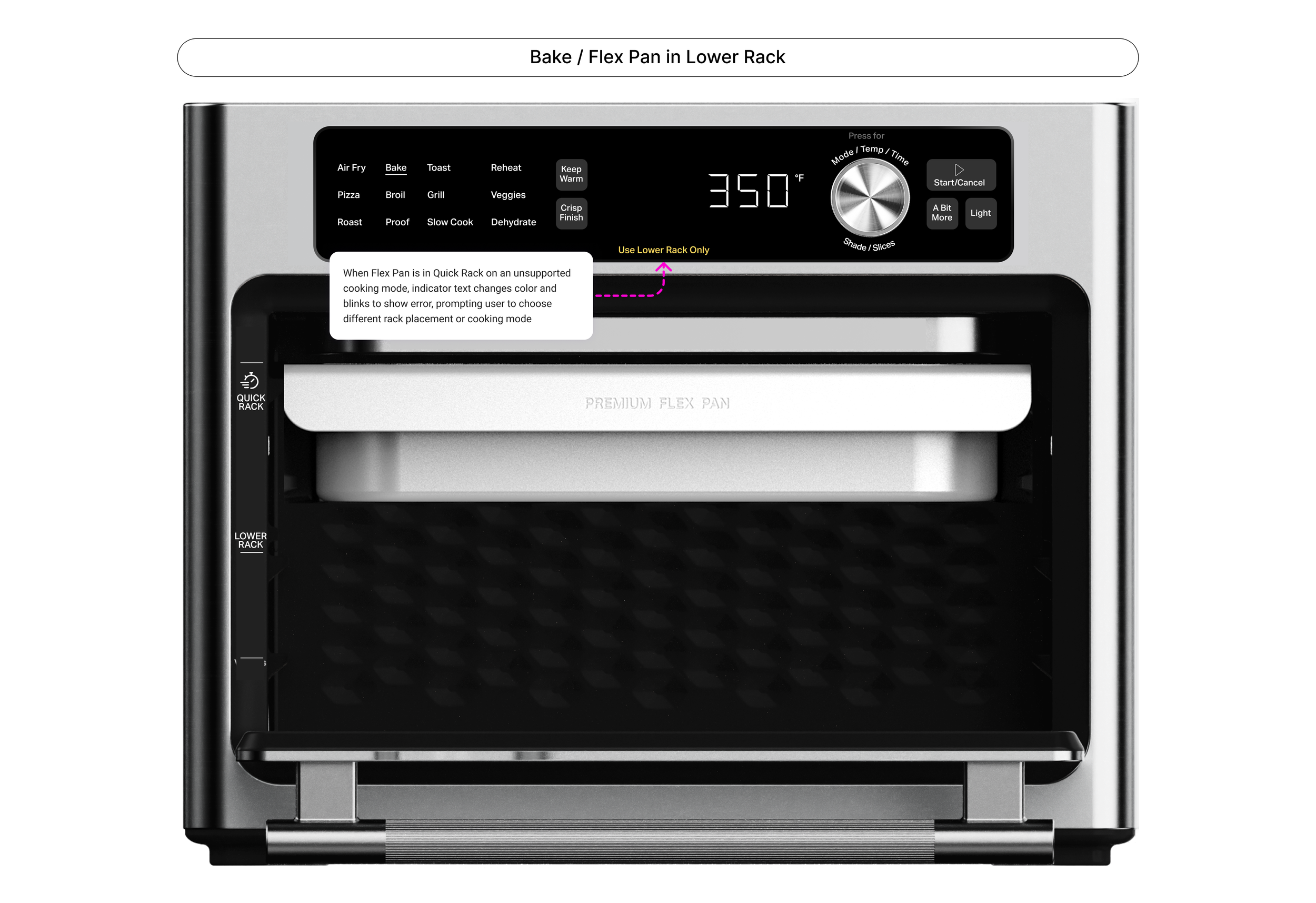
A key focus was educating users on proper Flex Pan usage. The Flex Pan is a deep tray with a slitted insert that enables larger foods to be cooked in the upper cavity — essential for modes like Air Fry and Air Grill to prevent burning.
While the Flex Pan can be used anywhere in the oven, it's required in the upper rack for air frying. This stems from a design and budget constraint: the convection fan sits directly above the upper cavity, meaning food on any standard tray would contact the fan and burn. Repositioning the fan wasn't feasible for mass production costs. The challenge was guiding users on Flex Pan placement and its limitations without feeling restrictive of their cooking preferences.
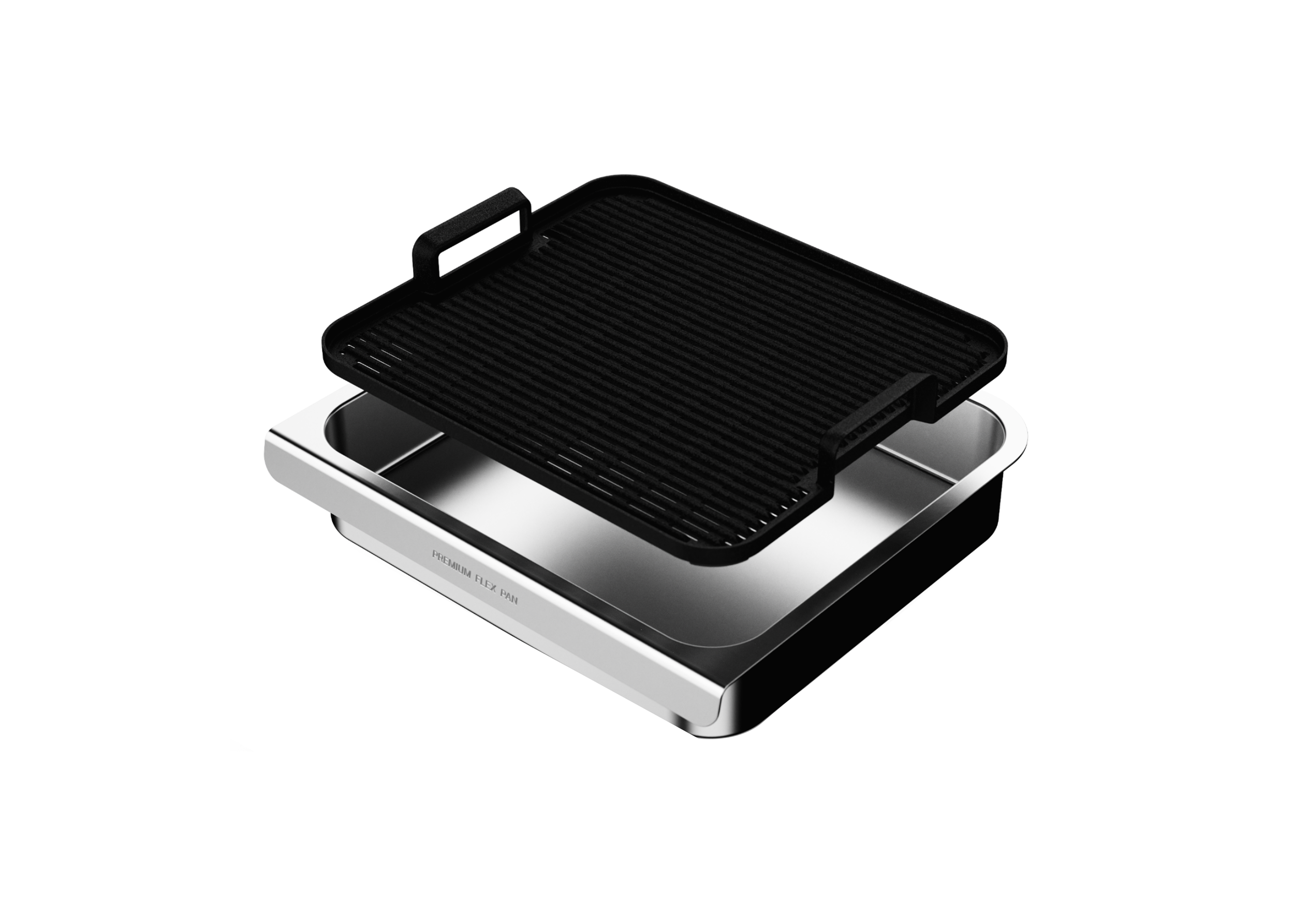
Rendering of the Flex Pan and insert
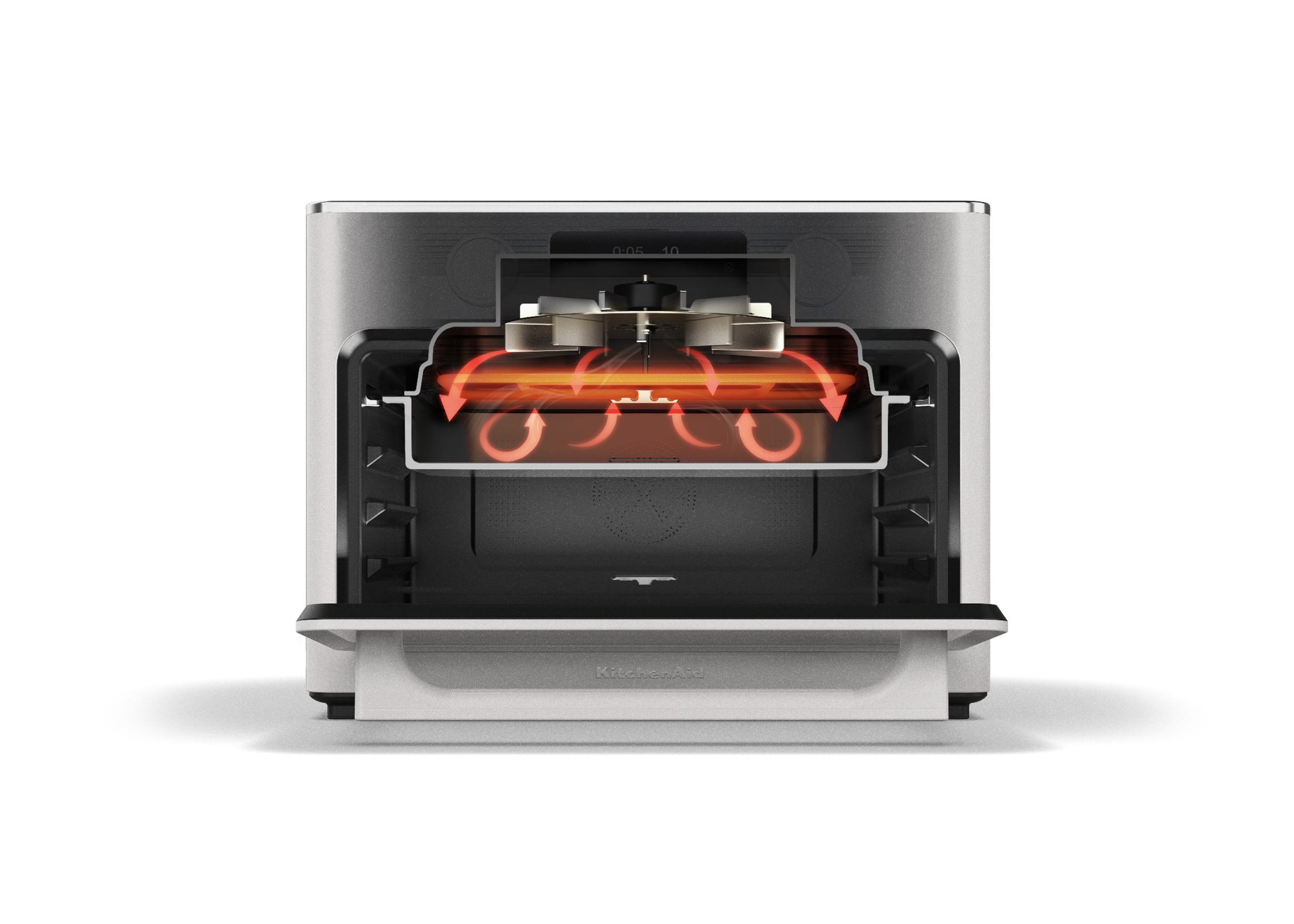
Visual of Flex Pan in top rack with the convection fan for optimal air frying
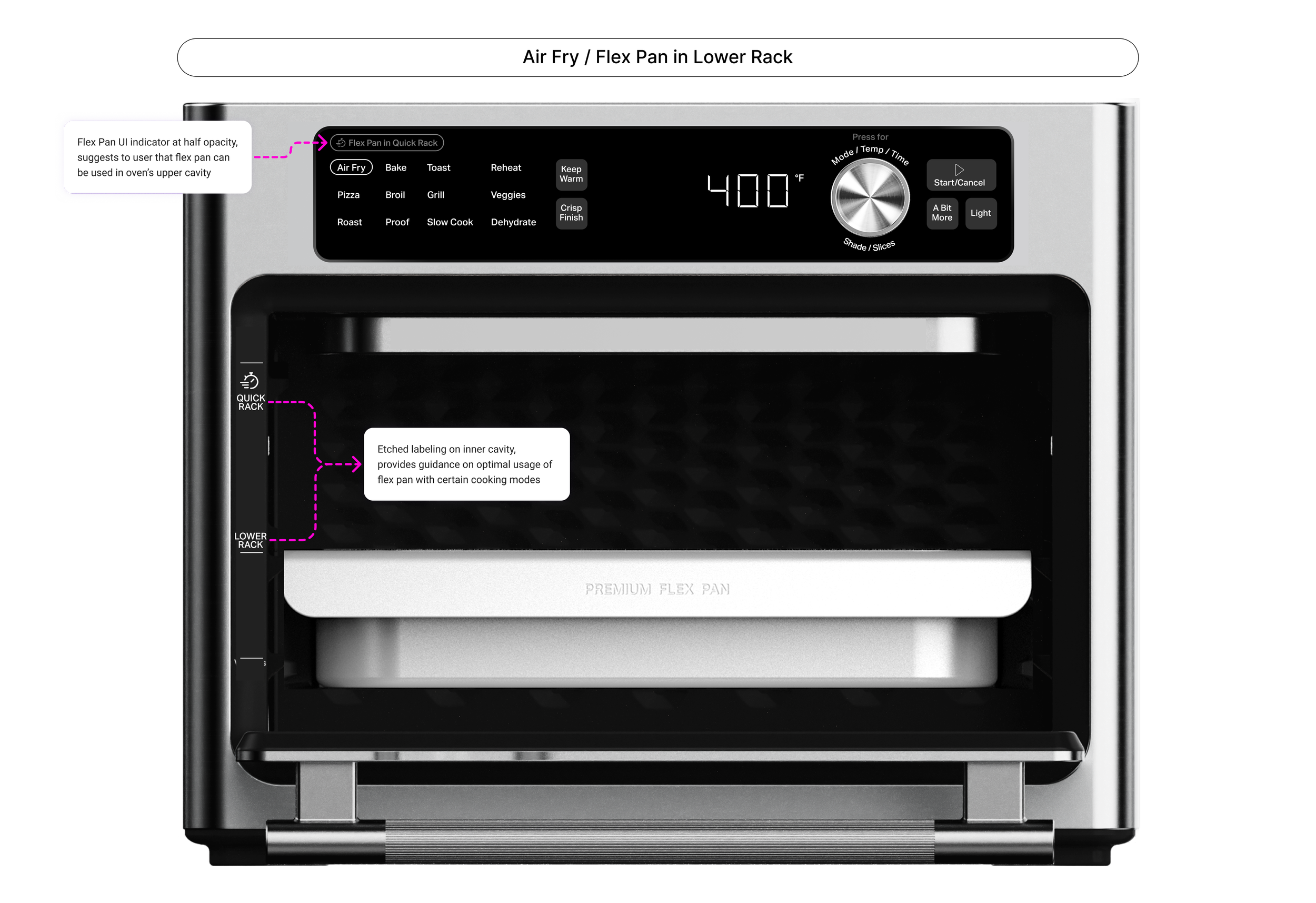
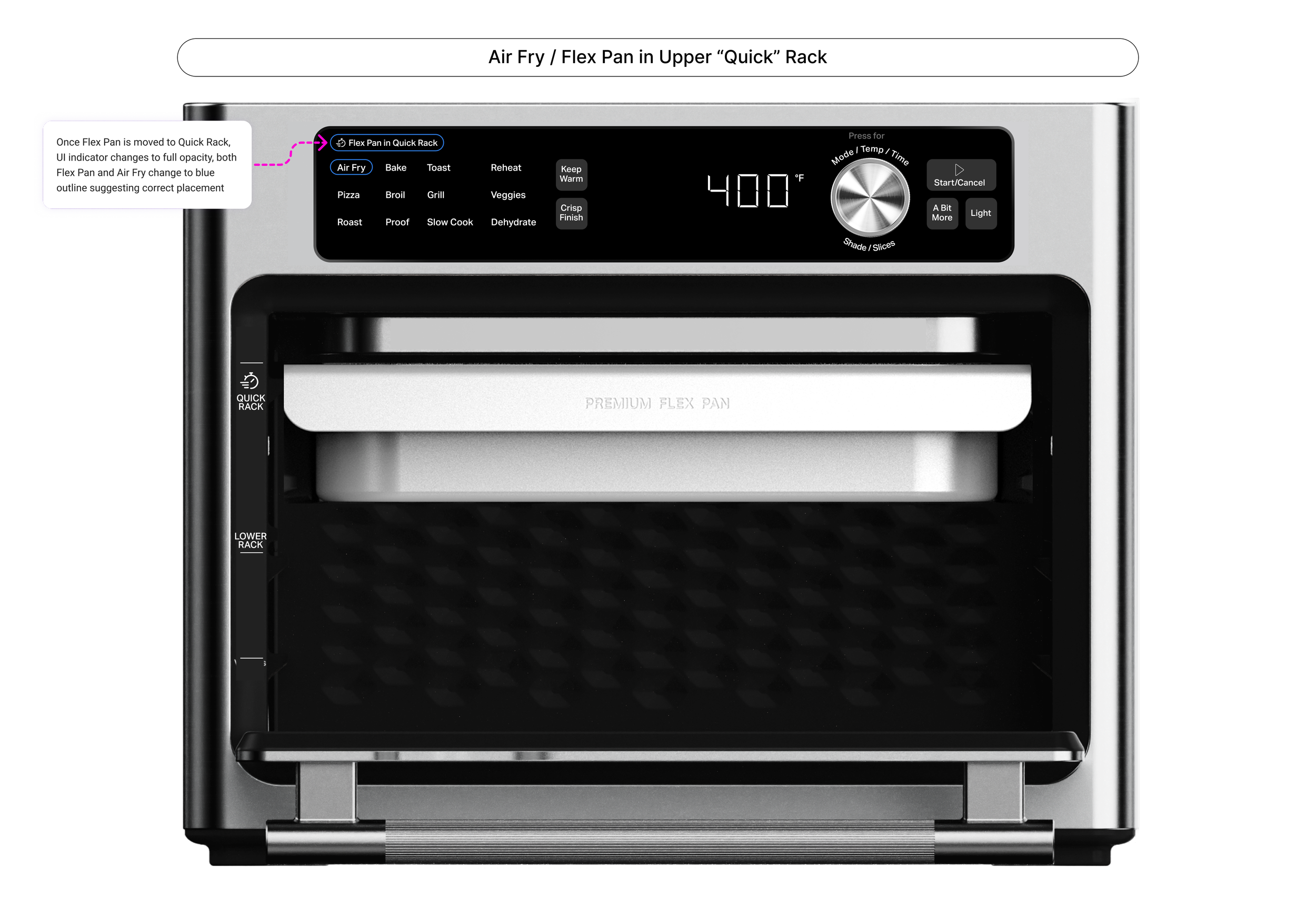
Primary vs secondary modes
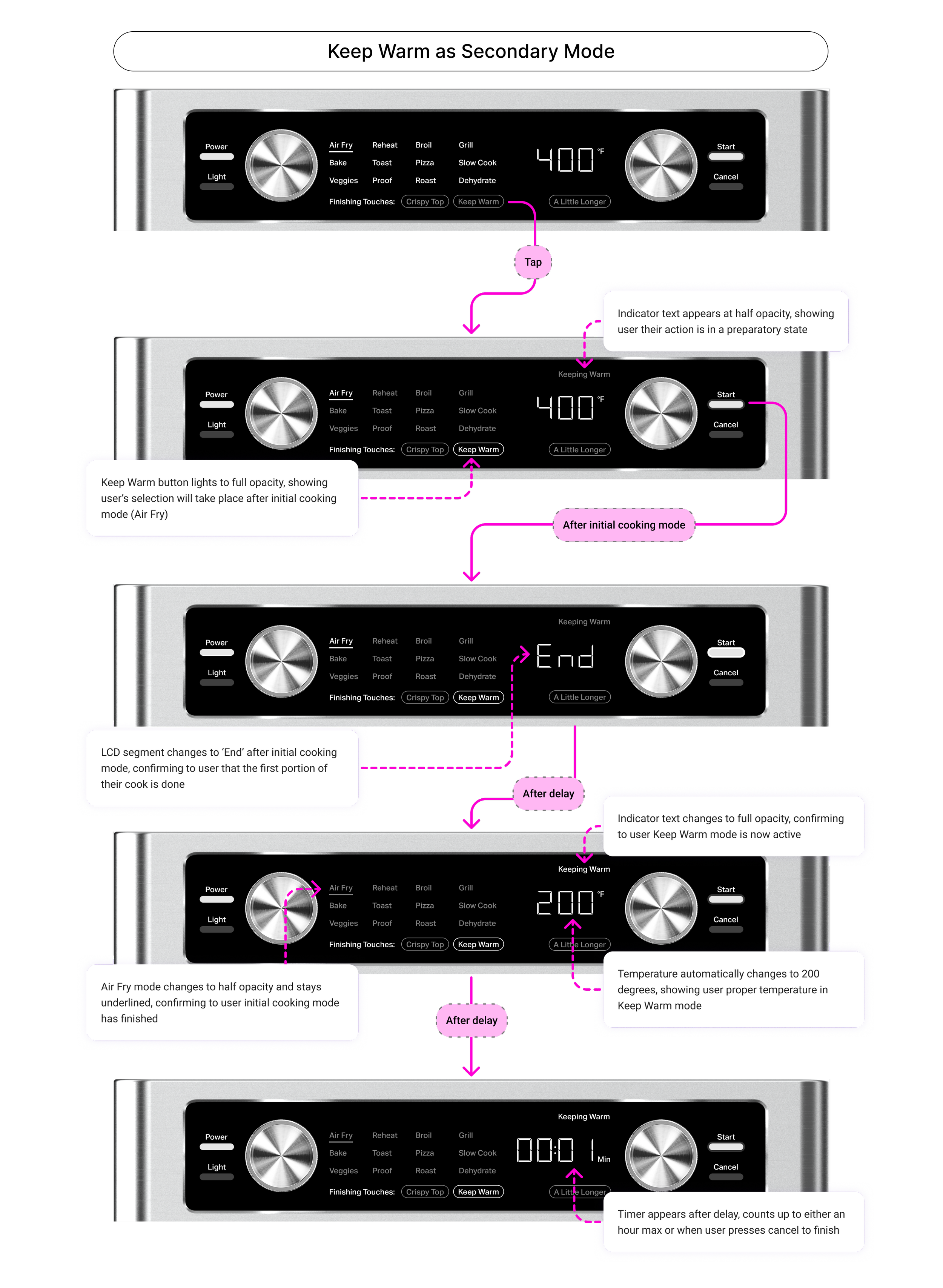
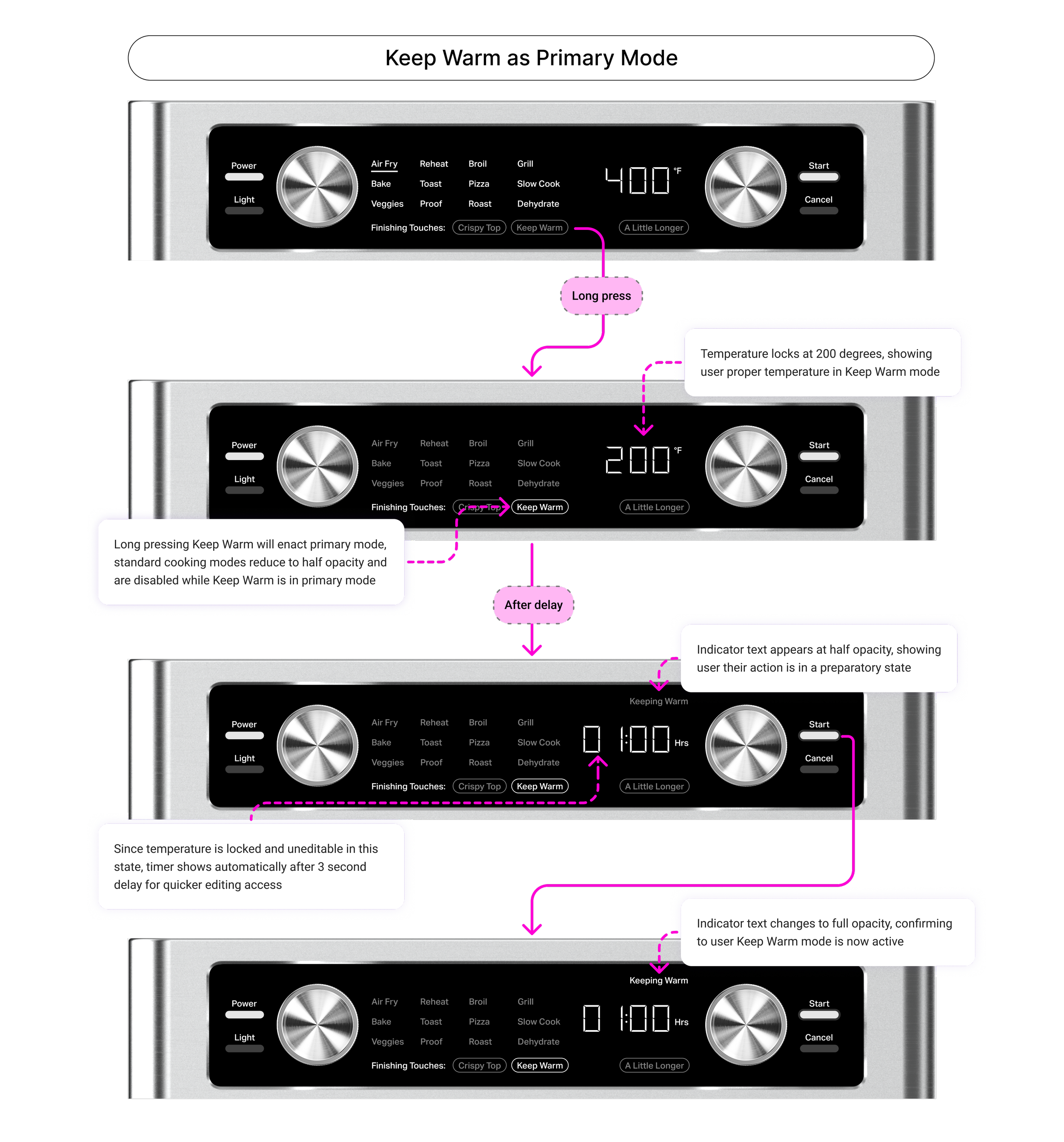
Primary modes (12 total) operate independently, while secondary modes function as add-ons — Keep Warm, for example, requires an active primary mode like Air Fry. Through competitive research, I noticed most market alternatives allow secondary modes to function independently as well.
I led the effort to build out primary versions of secondary modes alongside their existing functionality. This gives users faster access to key features and more flexibility when coordinating the oven with other appliances for complex meals.
Research insights
After some beginning iterations, we proposed a research initiative with a panel of around 20 participants. The initiative was twofold:
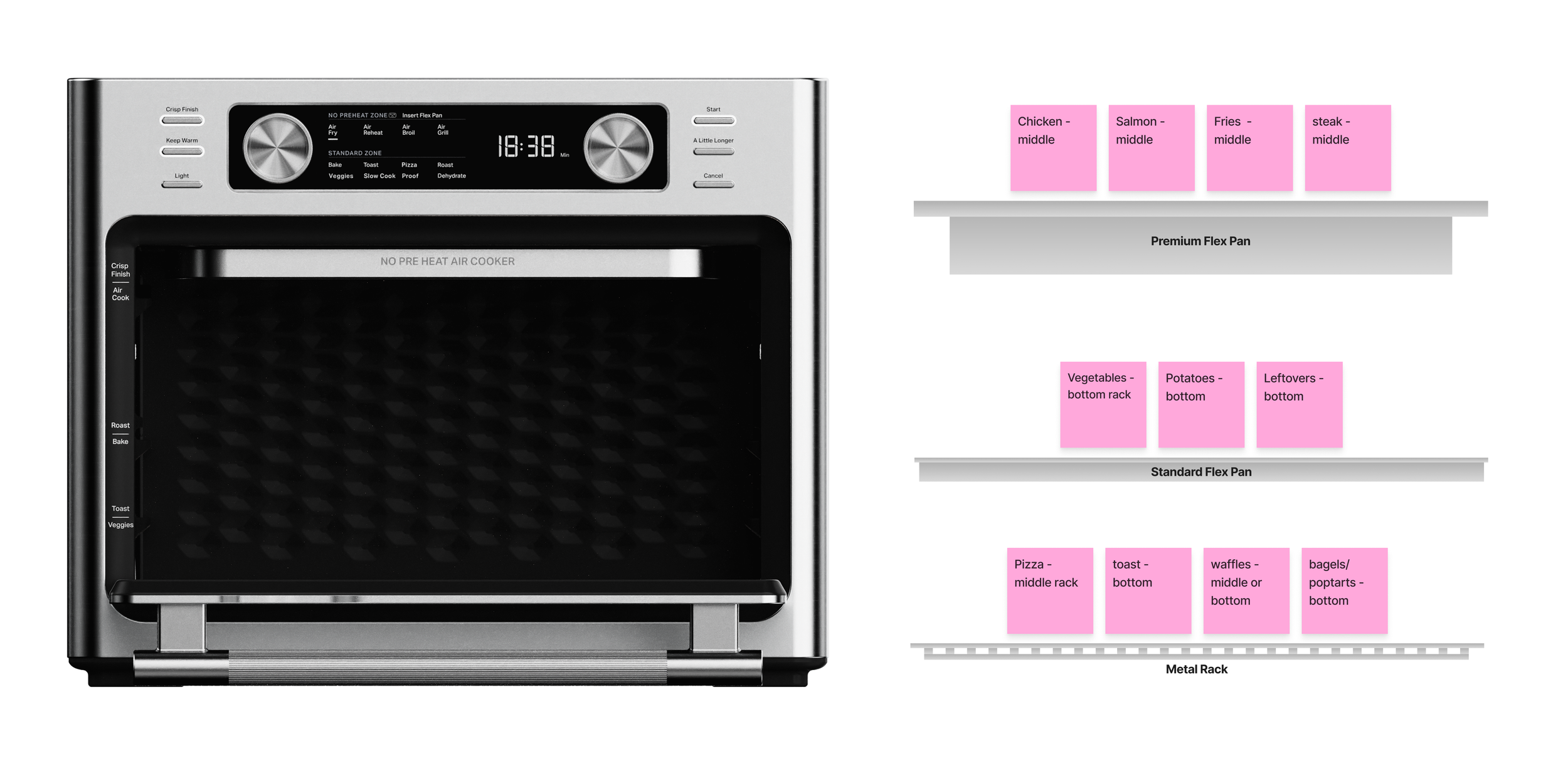
Card Sorting Exercise - Accessory and cavity placement preference for common cooking tasks
Prototype Test - Understanding of current HMI and accessory setup on simple task flows
Example of a participant’s card sorting answers with common foods and desired placements.
Post the initiative, 3 main points came into being.
The middle rack is seen as the universal default for consistency and safety: The middle of the oven was seen as the "safest bet" to ensure an "even cook" from the top and bottom elements. Most users discussed proper heat circulation meant needing equal space above and below their food.
Instinct and expertise outweigh suggested labels: Participants indicated that instinct and established mental models are prioritized over provided labels on optimal food placement. Even when told the Flex Pan in the top rack was the most optimal for air frying, some users had doubts they would use that position.
Users don’t see dual cooking as a necessary use case: While users would like to maximize the cavity space of their oven, most scenarios were on cooking more of the same type of food vs. two different ones. If dual cooking were actually to be implemented for a more complex meal, it would be with another kitchen appliance (grill, stovetop, etc.)
Design post research
The challenge was putting user flexibility first while still surfacing Flex Pan guidance. Revisiting our competitive audit, I noticed convection heating was common across many appliances — so if we already had it built in for air frying, why not extend it to more modes? This opened the door to broader cooking options while allowing us to surface optimal and suboptimal suggestions. My new direction reframed convection as an independent, user-controlled toggle.