Walmart Internal Finance
The problem: Walmart employees can't see the same numbers their peers and finance partners are working from, so they end up emailing spreadsheets back and forth and manually reconciling data across teams. If they spot a problem or opportunity, they find out after the fact instead of catching them as they happen.
The solve: Give accountants a shared workspace where alerts flag anomalies the moment they appear, and comments let them resolve questions right next to the numbers instead of in a separate email thread. AI continuously scans in the background to surface opportunities they'd otherwise have to dig for manually.
My role: Lead design on alerts and collaboration for Walmart's IBG platform, defining how visual alerts, notifications, and commenting function across all four workstreams to bring financial decisioning in-product and reduce teams' reliance on manual, siloed processes.
⏱️ 27% faster to alert team members of potential data anomalies
✅ 68% task completion fully in-product vs other tools
The Tl;dr
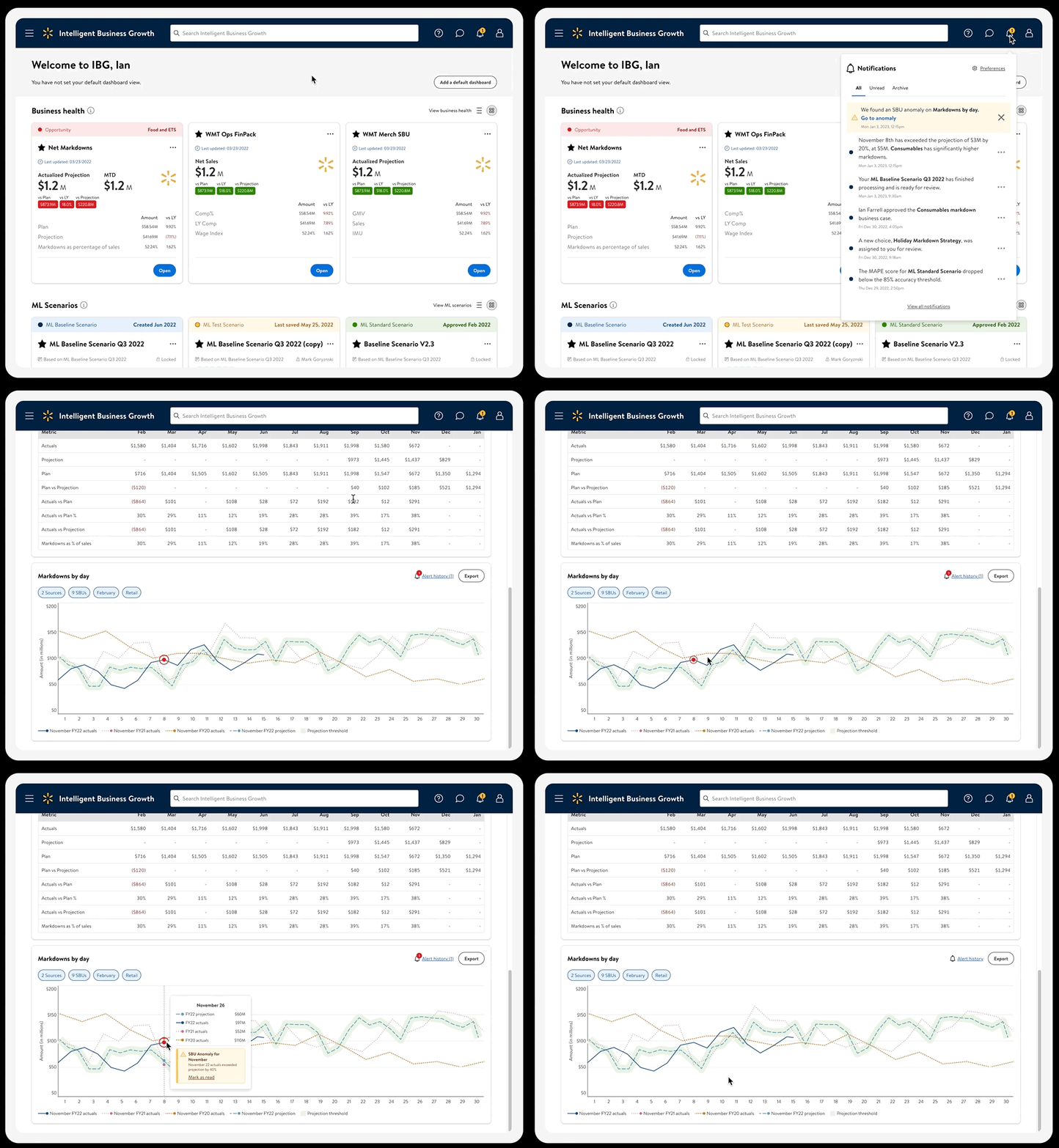
An example flow of finding and resolving an alert.
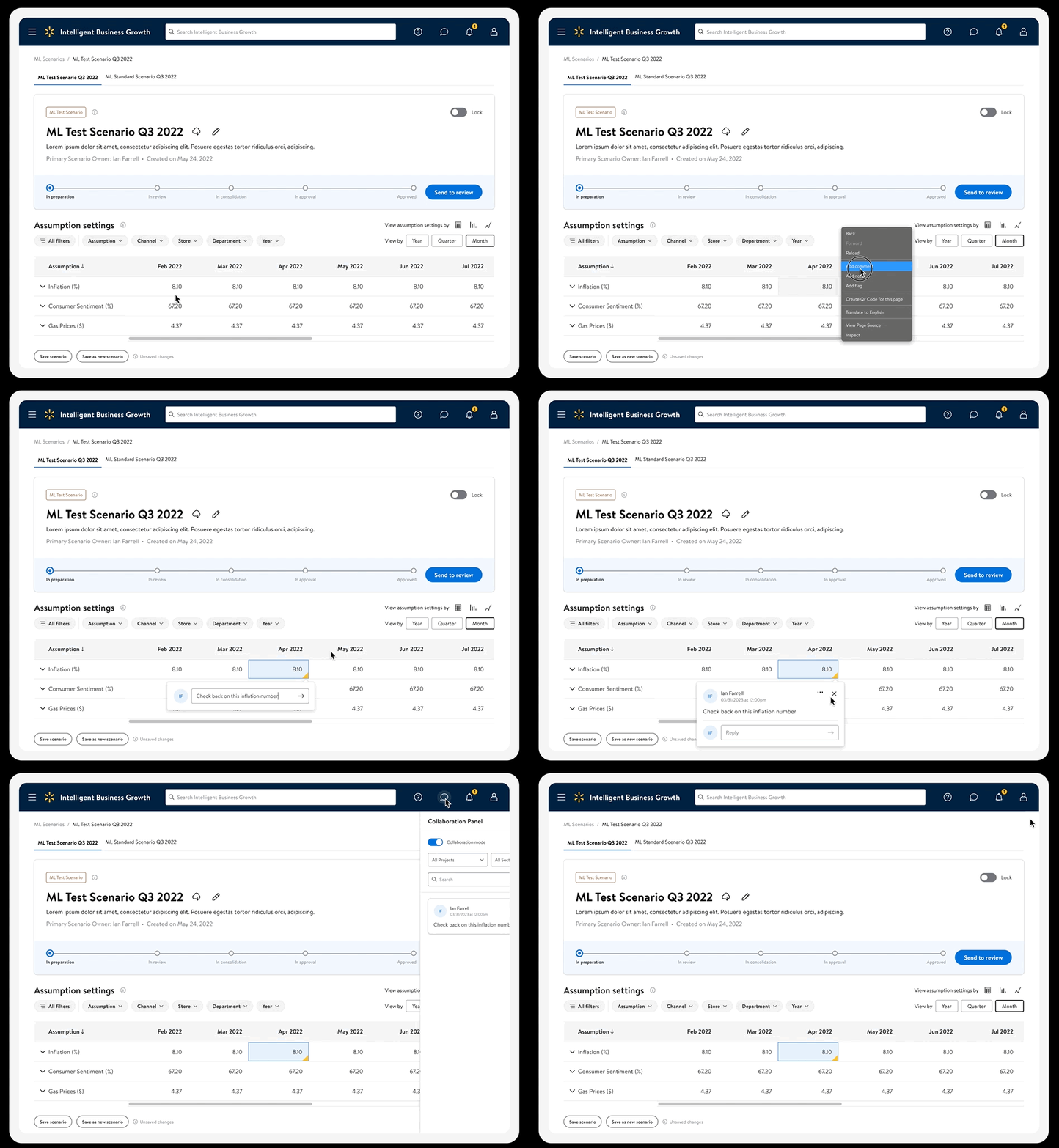
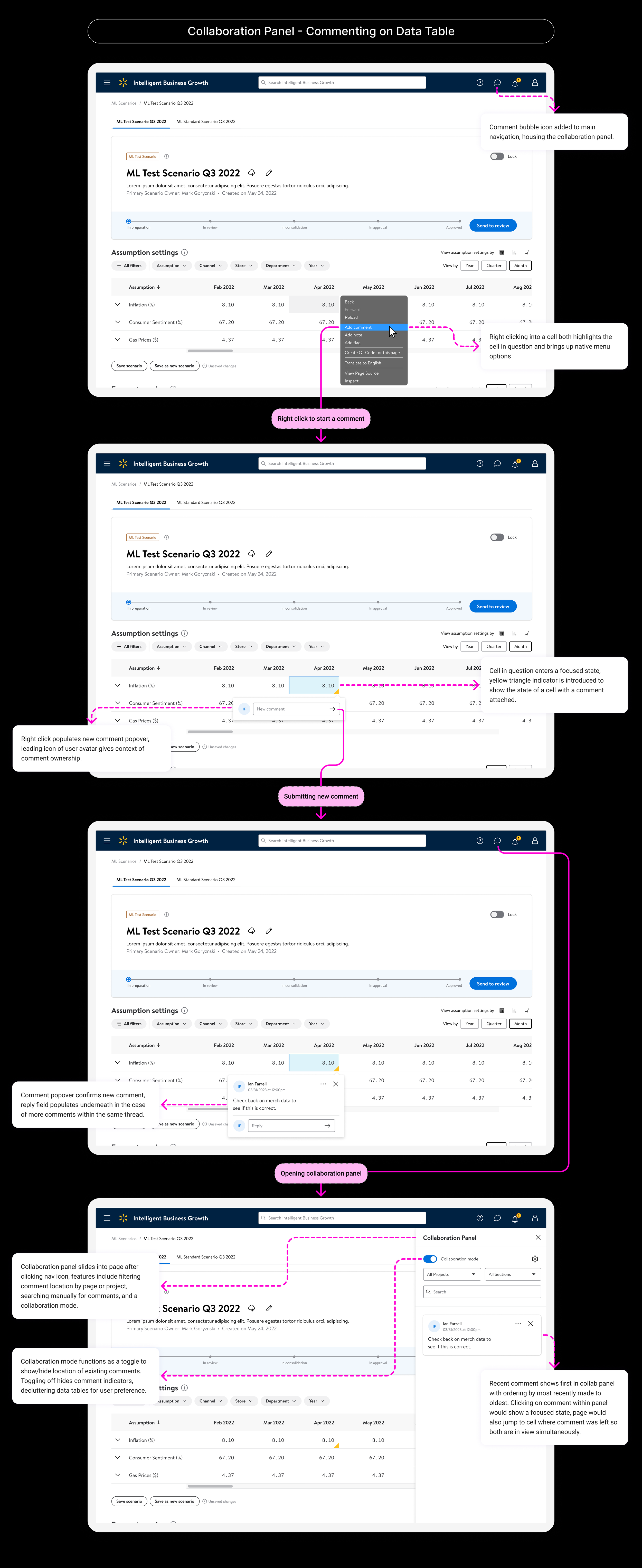
An example flow of commenting on a data cell.
Why the Design was Successful
-
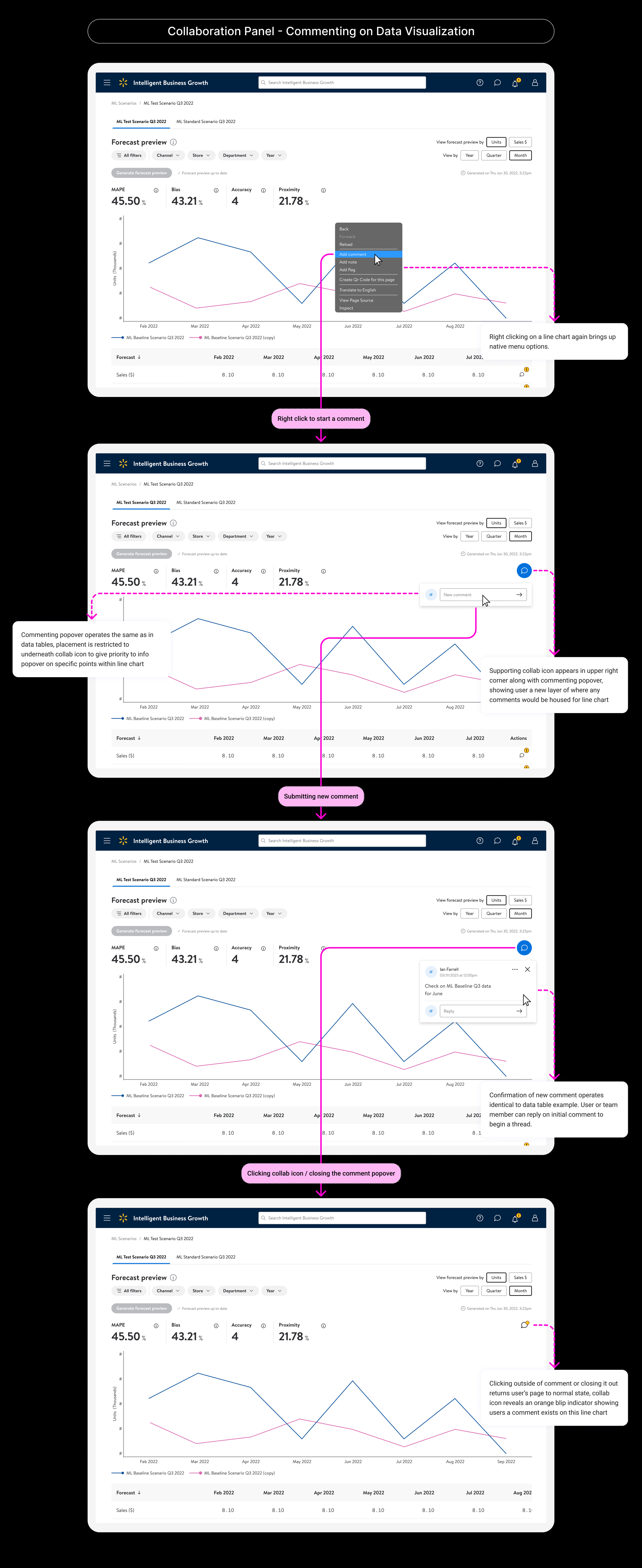
Comments look and behave differently depending on whether they’re left on a data table. That's because leaving a comment “here" means something different depending on what "here" actually is.
-
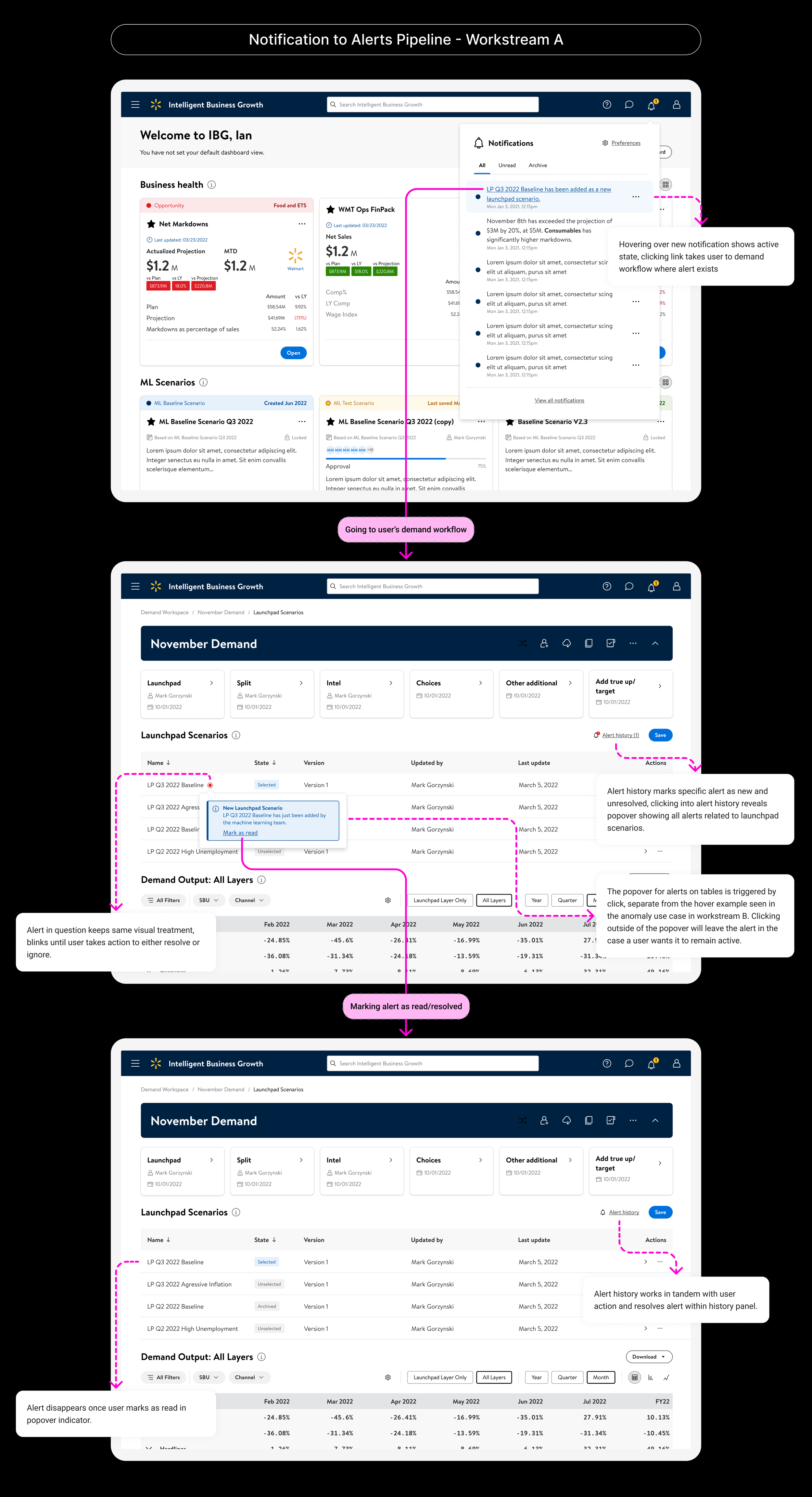
The project wasn't built for just one team, it had to work across all four IBG workstreams. So the components needed to be flexible instead of fixed in place. Each workstream's designer got to set their own severity levels. This makes sense because "important" doesn't mean the same thing in every context. What counts as urgent in one workstream is different from elsewhere on the platform.
-
It was important to define two separate concepts: "alerts" (visual cues that show up based on specific conditions in the data) and "notifications" (general informational messages). Treating these as distinct from the start gave all four workstream teams a shared vocabulary to design with, instead of each team coming up with its own way to "flag" something.
Key Learnings
Agree on words before you design.
When several teams are building on the same system, deciding what terms mean (like "alert" vs. "notification") up front stops the four versions from slowly turning into four different things over time.
Let the people closest to the data decide what counts as urgent.
Urgency usually depends on the specific context, so a single central rule often works worse than trusting the people who actually understand that data.
The Larger Story
Quick Context
IBG (Intelligent Business Growth) is a team designing AI-powered financial planning tools within the Walmart ecosystem. The platform spans four interconnected workstreams (A–D), each serving distinct but related needs. Though primarily embedded in Workstream B (business monitoring), the project I worked on was workstream-agnostic — spanning the full platform. My focus was exploring how visual alerts and in-product collaboration could be applied across all workstreams.
Alerts and Notifications
In order to concept out the initial portion of this work, it was necessary to define alerts and notifications and how they should function within our system:
Alerts - Visual cues intended to attract users’ attention to a particular piece of content or UI element that is dynamic in nature. They’re both contextual and conditional.
Notifications - Informational messages that alert the user of general occurrences within our system. Notifications can be tied to alerts or they can be related to some other event.
By labeling these, centering the work around visual alerts, notifications tied to those alerts, and general notifications became key in my initial exploration.
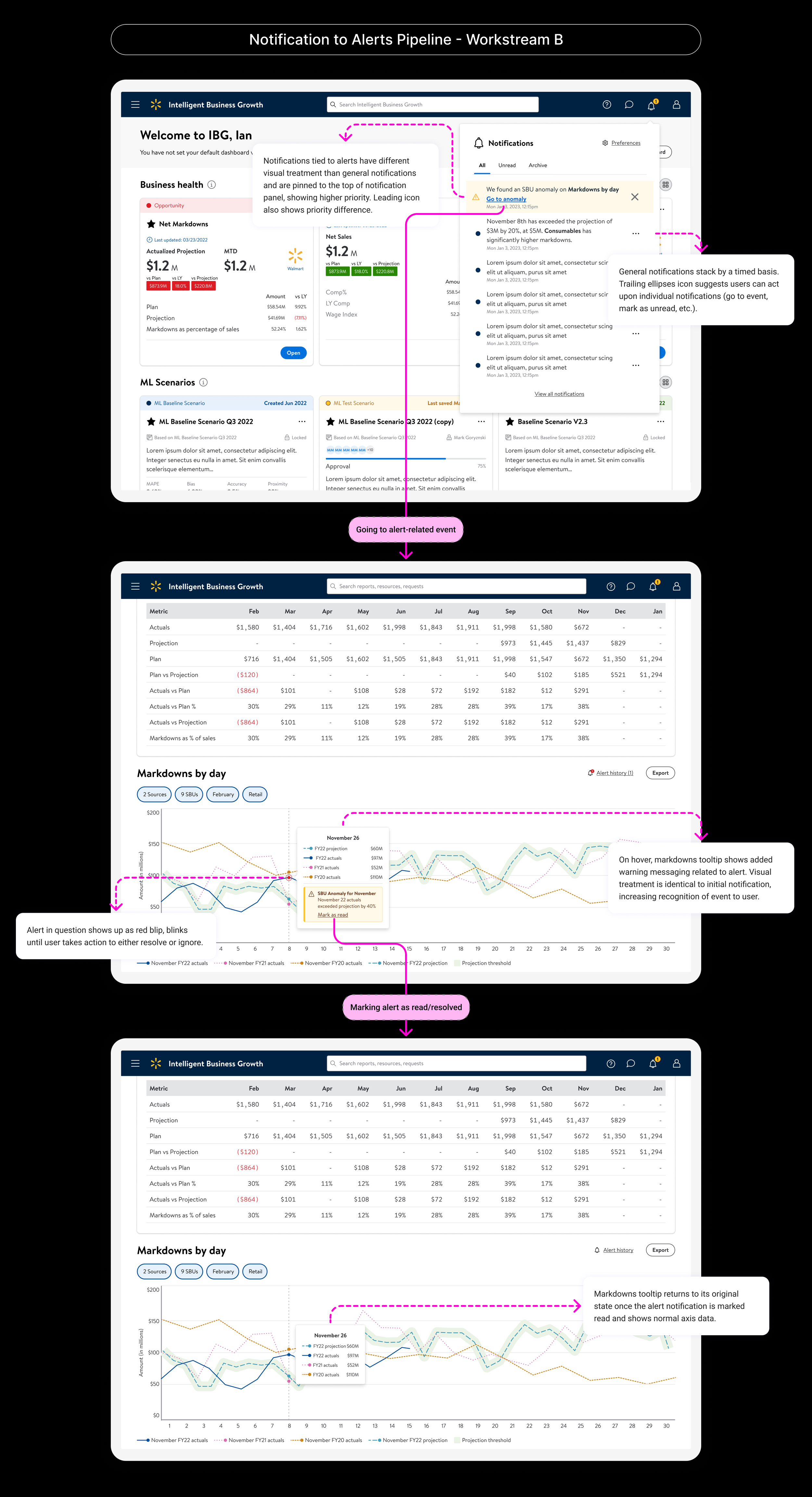
In Situ
Alerts and Severity
Through cross-workstream reviews, it became clear that not all alerts carry the same urgency. Some workflows called for informational indicators rather than action-driven prompts. Severity level was ultimately left to each workstream's designer to define.
Collaboration and Commenting
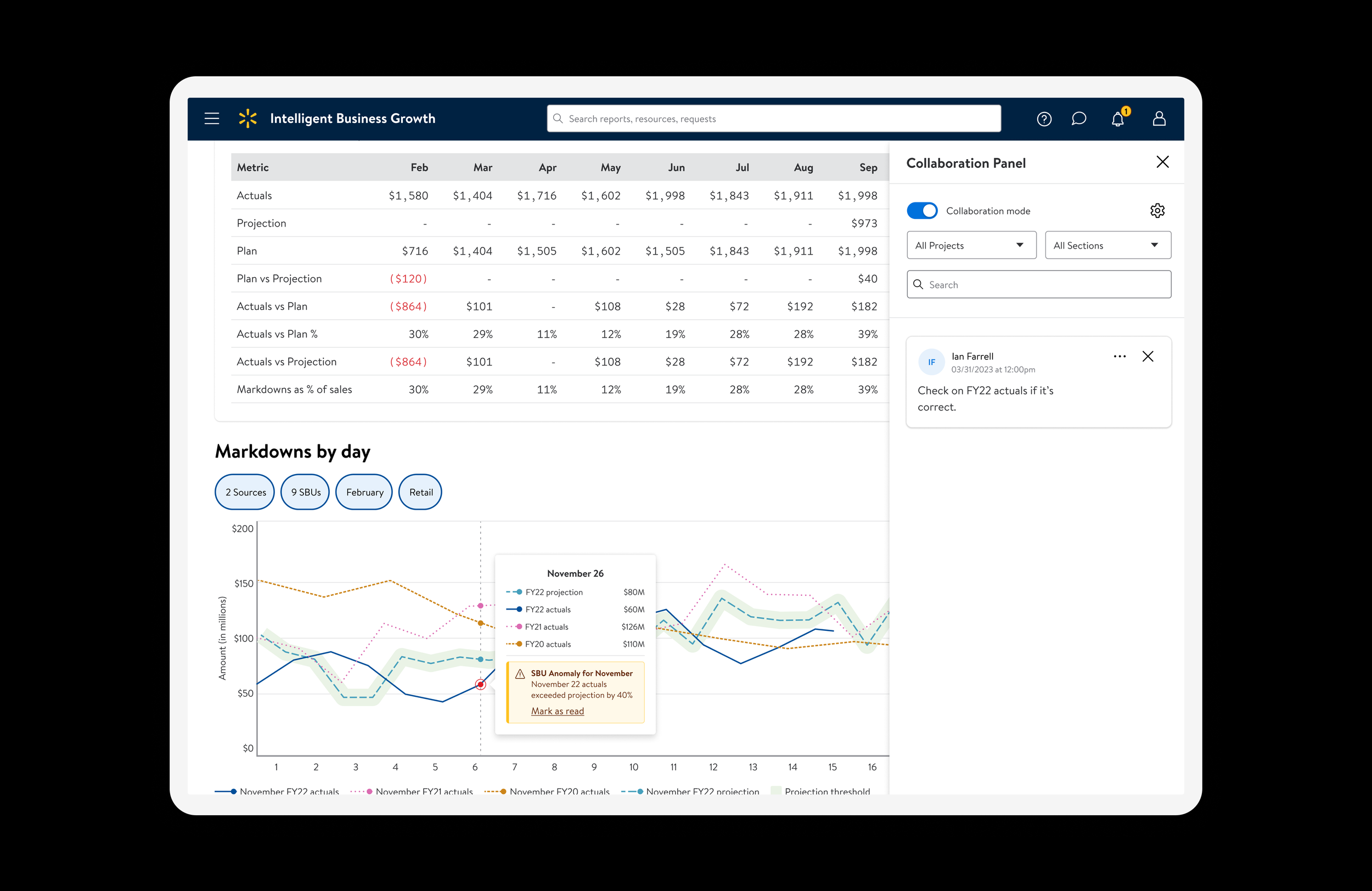
For collaboration, I distinguished between personal notes and comments intended for others, covering use cases like discussions and action item tracking. The work focused on single comments, threaded replies, and how comments rendered differently across data tables versus visualizations.